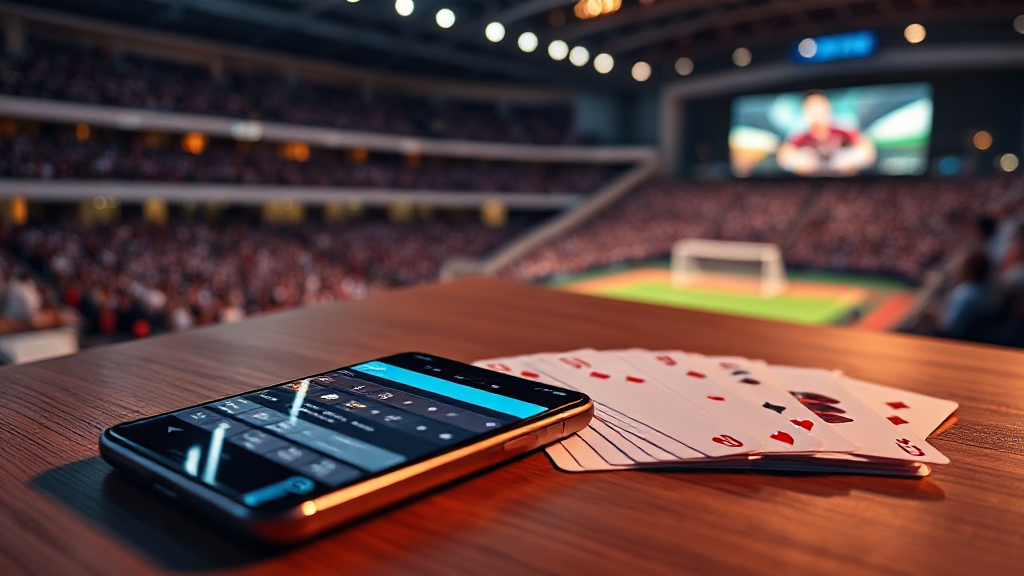
The Sound and Pace of Card-Table Apps: Reading Attention Cues
A phone buzzes in a quiet room. Everyone hears it. The owner glances down, and within a second the room has changed: one person is now somewhere else, half-present, thumb moving. That small moment is not an accident of technology. It is the visible tip of a design system built to pull attention, hold it, and bring it back again. When people search for an All Rummy Game, they are usually thinking about cards, rules and tables. But the experience of using one of these apps is shaped just as much by sound, pace and interruption as by the game itself. This essay is about those cues — what they are, why they work, and how to notice them when you read an app listing.
Sound: The Invisible Interface
Open almost any card-table app and the first thing you notice may not be the layout but the audio. A soft shuffle. A chip click. A short rising tone when a hand is dealt. These sounds are not decoration. They are feedback, and feedback is one of the oldest tools in interface design. A well-placed sound confirms that an action registered: the card moved, the bet was placed, the round began. Without it, a player would have to watch the screen constantly to know what happened. With it, the app can communicate while the eyes are somewhere else.
But sound also does something subtler. It creates a sense of place. The clink of chips and the riffle of cards are borrowed from physical card rooms, and they carry associations: sociability, stakes, momentum. A digital table that sounds like a real one feels less like a spreadsheet and more like a room. That feeling is pleasant, and it is also persuasive. Designers know that atmosphere keeps people seated. The question for a reader is not whether the sound is nice, but whether it is doing a job — confirming actions — or simply filling space to make the app feel busier than it is.
There is a third layer: the sounds you did not ask for. A cheerful chime when a bonus appears. A celebratory flourish when a hand ends. These are rewards, and rewards are designed to be noticed. They arrive at moments the app chooses, not moments you choose. When you read a listing for an All Rummy Game, look for whether the description mentions sound controls at all. An app that lets you mute effects, separate music from feedback, or play silently is an app that treats your environment as yours. One that offers no audio settings is telling you something about its priorities.
Pace: How Speed Shapes Decisions
Pace is harder to see than sound because it lives in timing. How long does it take for a round to begin? How quickly does the interface respond to a tap? How much time is there between hands? These intervals are not neutral. A fast pace feels exciting and keeps the mind occupied; a slower pace gives room to think. Card games have always had rhythm — the deal, the pause, the reveal — and good digital versions preserve that rhythm rather than flattening it into a constant rush.
Watch for compression. When an app shortens every pause, removes confirmation steps, and moves you from one hand to the next with almost no gap, it is optimizing for continued play rather than considered play. That is a design choice, and it is worth naming. It does not make the app bad, but it does mean the experience is built around momentum. A reader comparing apps should ask whether the described pace matches the kind of session they want: a few thoughtful hands, or a rapid stream of quick ones. The answer changes what the app feels like to use.
Pace also shows up in how information is presented. A listing that describes smooth animations, quick table loading and responsive controls is describing a pace. A listing that mentions tutorials, practice modes or adjustable speed is describing a different one. Neither is automatically better. What matters is that the pace is stated, because a pace you did not choose is a pace that is choosing for you. Reading an All Rummy Game listing with this in mind turns a vague impression — “it felt fast” — into a specific observation about how the app manages time.
Interruption: The Architecture of Return
Notifications are the most visible attention cue of all, and the most misunderstood. A notification is not just a reminder. It is a small claim on your time, sent at a moment the app selects. Some are genuinely useful: a table you joined is ready, a scheduled event is starting, a session is about to expire. Others are designed to reopen a loop you had closed. The difference is intent, and intent is often visible in frequency and timing.
Consider what a notification asks of you. “Your turn” is a factual prompt tied to a real event. “Come back and play” is a nudge with no event behind it. An app that sends the first kind respects the game; an app that sends the second kind is managing your attention as a resource. Neither is hidden — notifications arrive on your lock screen, in front of whoever you are with. The buzz in the quiet room is the design becoming audible.
When reading an app listing, look for any mention of notification settings, quiet hours or the ability to opt out of promotional alerts. These details are rarely glamorous, but they reveal how the app thinks about your attention outside the game. An app that separates game alerts from marketing messages is drawing a line. An app that bundles them together is blurring one. That distinction belongs in any honest comparison, because it affects daily life far more than the artwork on the cards.
A Short Checklist for Reading the Cues
None of this requires technical expertise. It requires a habit of noticing. Before you commit time to any card-table app, run through a few simple questions. Does the listing mention sound settings, or does it stay silent on audio? Is the pace described in concrete terms — round length, loading speed, practice options — or only in adjectives? Are notifications discussed at all, and is there any indication that you can control them? Does the description explain what the app does with your attention, or only what it offers you?
These questions matter because the cues are designed to work below the level of conscious choice. A chime, a fast deal, a well-timed buzz — each is small, and together they create an environment. The purpose of media literacy here is not suspicion for its own sake. It is simply to move the design from the background into the foreground, so that the experience becomes something you can describe rather than something that happens to you. The next time a phone buzzes in a quiet room, you will know a little more about why — and whether the app deserved the interruption.




More Stories
How I Get AA GAME Apps Running in Under 20 Minutes